I love getting lost in a good book, especially when I can carry hundreds of them on a single device. But lately, I've been experiencing a lot of eye strain after reading e-books for extended periods. It was getting so bad that I was starting to dread picking up my tablet at night. Sound familiar? If so, you're not alone. I decided to tackle this issue head-on, and I'm excited to share what I've learned and what's worked for me.
At first, I thought it was just me. Maybe I was reading too much, or my eyes were getting weaker. But I noticed it was particularly bad when reading on my phone or tablet before bed. The bright screen seemed to amplify the problem, making it hard to fall asleep even after I stopped reading. I started researching online and realized that many other people were experiencing the same thing. The combination of small text, bright screens, and prolonged focus was a recipe for eye strain disaster. I knew I had to find a solution if I wanted to continue enjoying my digital reading habits.
One of the first things I tried was limiting my screen time before bed. This helped a little, but I still wanted to be able to read in the evenings without suffering the consequences. Then I learned about blue light and its impact on sleep and eye strain. I started using blue light blocking glasses and enabling the blue light filter on my devices. This made a noticeable difference, especially in the evenings. The warmer screen tones were much easier on my eyes.
I also stumbled upon the idea of using an e-reader with an e-ink screen. I'd heard they were much gentler on the eyes than traditional LCD screens. After doing some research, I decided to give a Kindle Paperwhite a try. And let me tell you, it was a game-changer! The e-ink screen really does mimic the look of real paper, making it so much easier to read for extended periods without eye fatigue. The adjustable light levels, especially the ability to reduce blue light, are fantastic. I honestly wish I had bought one sooner. If you're already familiar with the Kindle ecosystem, I highly recommend checking out their paper-white devices.
Another thing I realized was the importance of taking breaks. My wife, who is an optometrist, reminded me about the 20-20-20 rule. Every 20 minutes, I should spend 20 seconds staring at something 20 feet or more away. This helps to relax the eye muscles and prevent strain. It sounds simple, but it's incredibly effective. Also, I found increasing the font size on my devices helps a lot too. It means less squinting and less strain on my eyes.
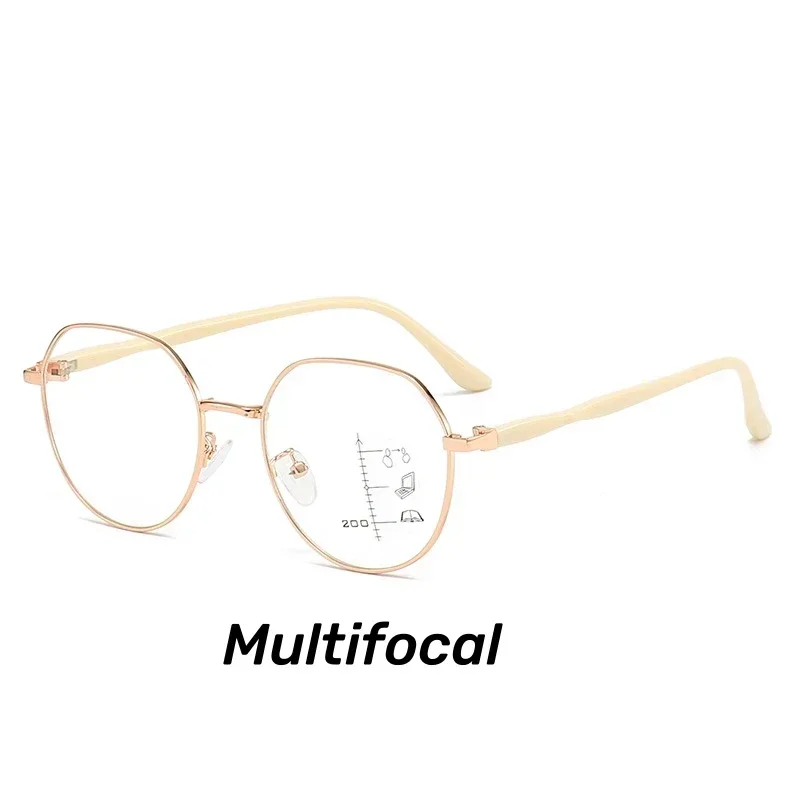
Speaking of eye strain, I recently found myself needing some reading glasses, and after a bit of searching, I came across the Mozaer Collection. I was intrigued by their Finished Round Frame Reading Glasses. I decided to try a pair, specifically the Finished Round Frame Reading Glasses Trend Multifocal Presbyopia Eyeglasses Women Men's Progressive Far Sight Eyewear in rose gold. The multifocal lenses have been amazing for reading both e-books and physical books, and the round frame is stylish and comfortable. I was able to grab a pair at: Mozaer Reading Glasses. They've definitely helped reduce my eye strain, especially when I'm reading on smaller screens.
Here's a summary of the things that have helped me the most:
I also discovered that the lighting in my reading environment played a significant role. Reading in a dimly lit room forced my eyes to work harder to focus on the screen. By ensuring I had adequate lighting, I noticed a significant reduction in eye strain. I also find that adjusting the text contrast helps a lot. Dark mode on my tablet has become my go-to setting for nighttime reading.